Release Information
Release Information - Version 1.17
Support for Query Filter
The following entities:
-
Event Mappings
-
REST Mappings
-
Services
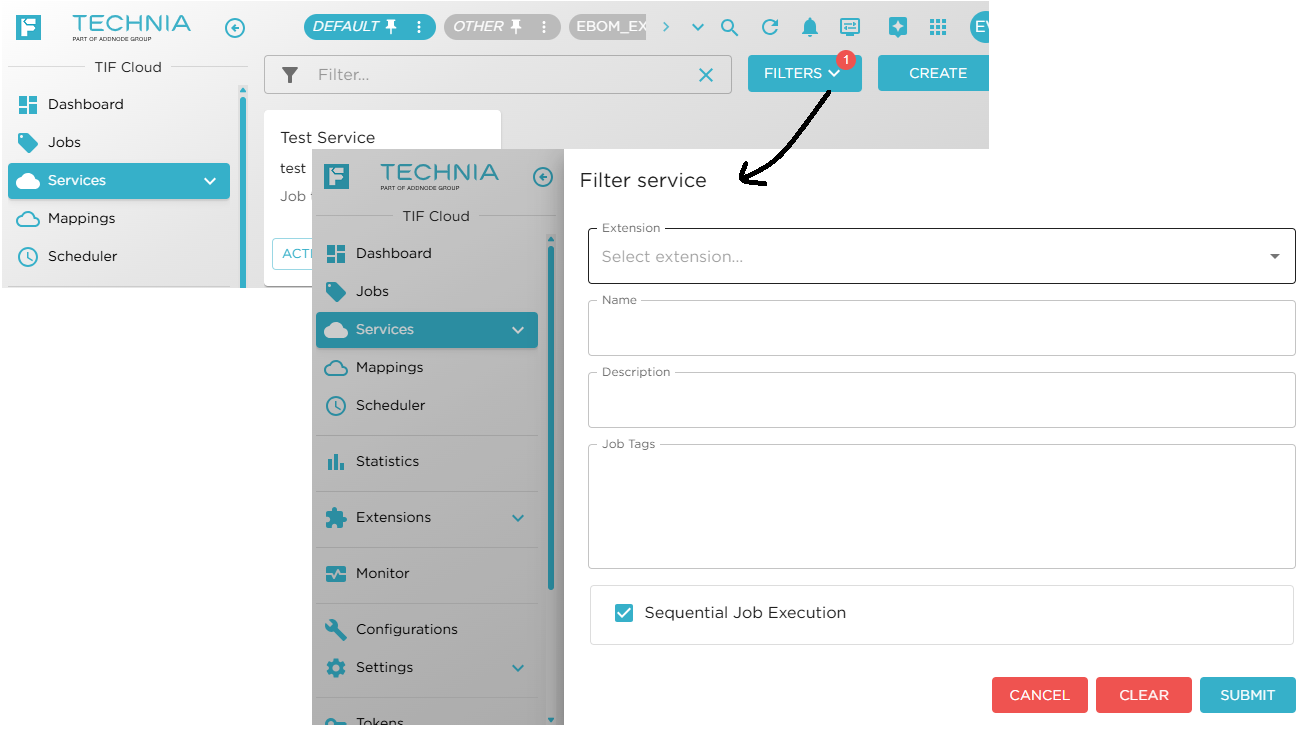
Supports better and more precise filtering in the Administration UI. Example below for Service entities.
Show a View button when an entity is created
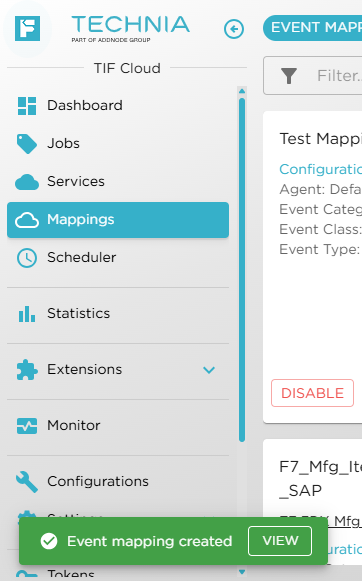
Once a new entity of type event mapping, rest mapping, custom feature, email trigger, webhook trigger, scheduled task, agent, auth settings, destination is created, a link is shown to open the new entity.
Job Execution Time
Per default, jobs may not execute for more than 2h. This time limit was a fixed value until now.
As of this release, each tenant may configure/control this value individually.
On the application settings page, found via "Settings" → "Common Settings" → "Application", the max job execution time settings can be changed.
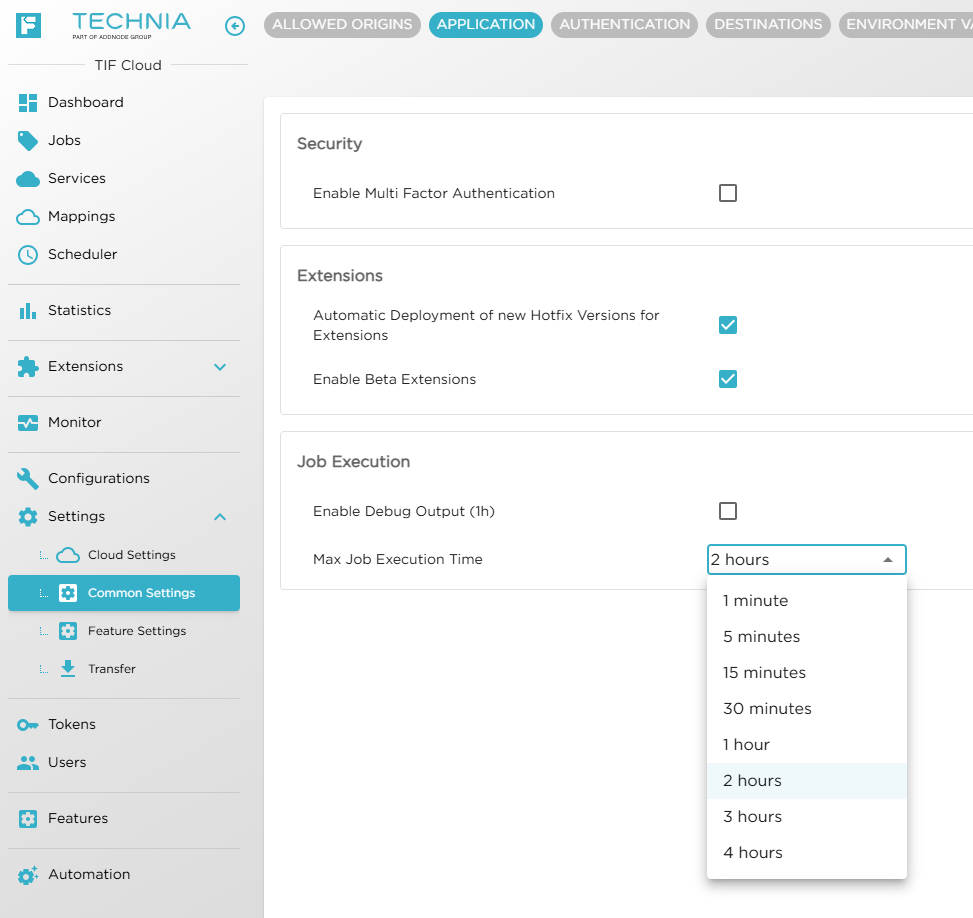
| Max value is 4h |
DS API Gateway Support
DS are gradually moving towards using one central service for their API calls. This central service is called API Gateway.
TIF have added support for using the API Gateway as of this release.
Since using the API Gateway requires an API key to be sent on each service call made, you will need to create at least one such API Key within the 3DEXPERIENCE™ application and add this into TIF. Also, you need to configure your TIF environment to operate in API Gateway mode via the DSX connection settings page as shown in the screenshot below:
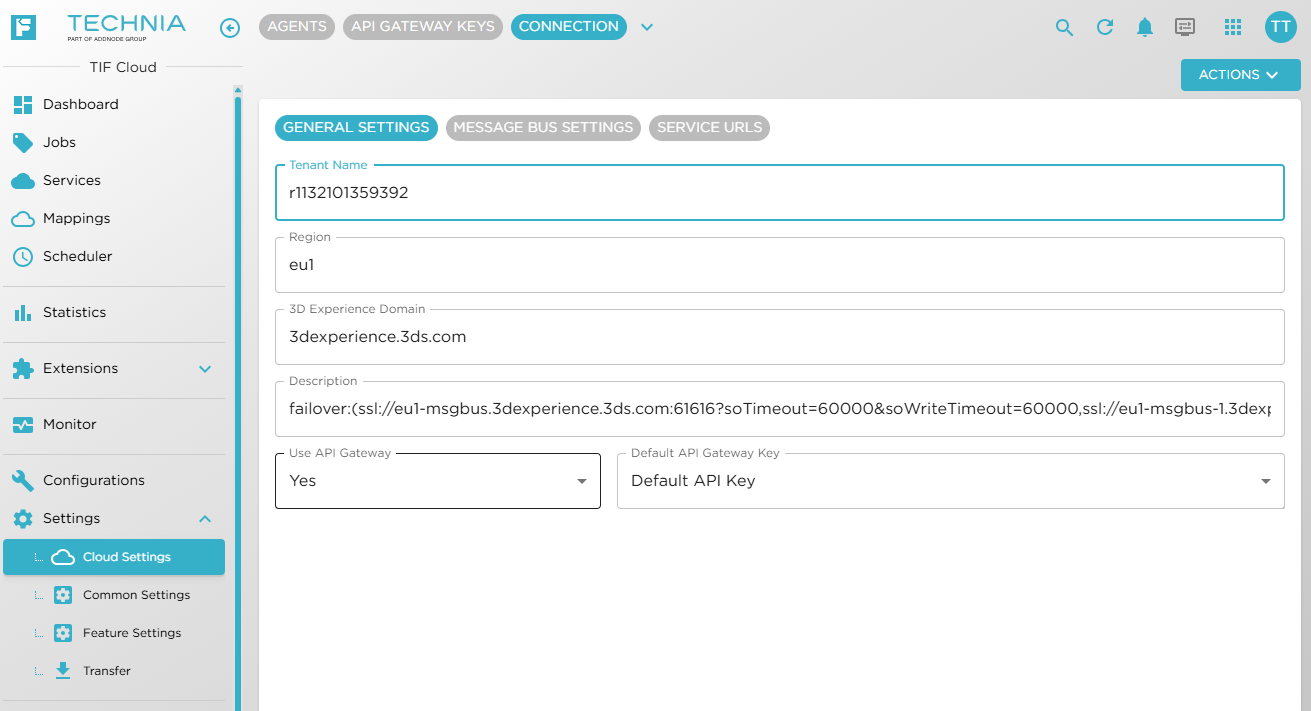
Read more about the DS API Gateway here.
|
Make sure that all customizations that has been made, supports using the gateway mode before switching over to using the API Gateway |
Monaco editor
The code editor used in TIF Cloud have been replaced with the Monaco Editor.
The Monaco Editor is the code editor used in VS Code, developed by Microsoft™. It is licensed under the MIT License and supports Edge, Chrome, Firefox, Safari and Opera.
The Monaco editor is not supported in mobile browsers or mobile web frameworks.
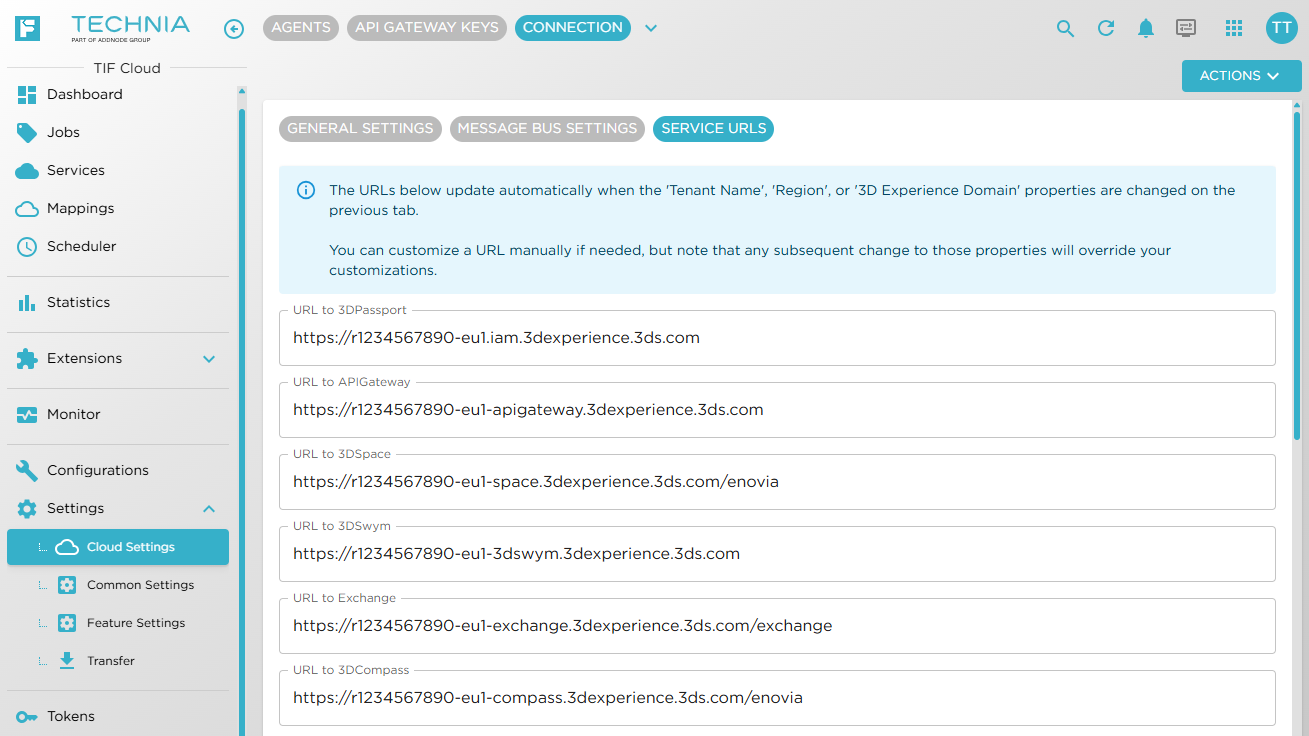
Connection Settings UI
The UI for the DS connection settings has been slightly improved to distinguish fields that contain generated values from the fields that require user input.
The fields are moved into different tabs.
JSON-ata Support
TIF now supports JSONata — a lightweight query and transformation language for JSON data. JSONata lets you express sophisticated queries in a compact and intuitive notation, manipulate and combine extracted data using a rich set of built-in operators and functions, and shape the results into any JSON output structure using standard object and array syntax.
User-defined functions are also supported, enabling advanced expressions for virtually any JSON query or transformation task.
An example of how to use the new JSONata API is shown below:
const data = { .... }; // Object or JSON string here
const ata = '$sum(Account.Order.Product.(Price * Quantity))';
const evaluator = context.jsonAPI().jsonAta(ata); (1)
const result = evaluator.evaluate(data); (2)
const expected = 336.36;| 1 | Get the JSONata evaluator for the given expression |
| 2 | Evaluates the expression over some data |
3DEXPERIENCE™ REST API - Improvements
Document Helper Service
The document helper service, available via the "dsxAPI" has a new method that simplifies the use case create and connect a new document.
See this page for details.
Getting the TenantSession object
In previous versions, to get the TenantSession object, you had to pass in the application object as argument like this:
const api = context.dsxAPI();
const space = api.getSpaceService();
const session = api.getTenantSession(space); (1)
const engItemService = space.getEngItemService();| 1 | Getting the session with the Space application service argument |
There is no need to change any existing code, as this pattern will still work. But for the future, you could simplify the above like this:
const api = context.dsxAPI();
const session = api.getTenantSession(); (1)

api.getSpaceService().getEngItemService().search(session, ...);| 1 | Same session used regardless of what application is being used |
E.g the same session object is used for all services.
Check if API Gateway Mode is enabled
On the session object, one can check whether the API Gateway mode is enabled.
session.isUsingApiGateway()
This may be needed in cases where the Generic Service is being used to call a 3DEXPERIENCE™ webservice, since the URI’s are different depending on the connection mode used.